tips_and_updates
Key Takeaways
DMARC is the policy and reporting layer that sits on top of SPF and DKIM, telling receivers what to do when neither protocol aligns with the visible From: header.
Always begin deployment in observation mode (p=none) with an aggregate report address: never start at p=reject.
DMARC alignment can be relaxed (r) or strict (s): relaxed matches the organizational domain, strict requires an exact match.
Gmail and Yahoo now require at least p=none with a valid aggregate report address for bulk senders: DMARC is no longer optional.
What is DMARC?
Domain-based Message Authentication, Reporting and Conformance (DMARC), defined in RFC 7489, is the email authentication standard that ties SPF and DKIM together into an enforceable, observable policy. DMARC adds two capabilities that SPF and DKIM lack on their own: it tells receiving mail servers what to do when authentication fails (the policy), and it tells the domain owner what those receivers saw (the reporting).
Without DMARC, a passing SPF or DKIM result still doesn’t guarantee anything about the visible From: address: an attacker can pass SPF on their own domain while spoofing yours in the message header. DMARC closes that loophole by requiring alignment: the SPF or DKIM result must apply to a domain that matches the From: header.
Publishing a DMARC record
A DMARC record is a single DNS TXT record at _dmarc.{your-domain}. A safe starting record, observation only, with both aggregate and forensic reporting, looks like this:
v=DMARC1; p=none; rua=mailto:[email protected]; ruf=mailto:[email protected]; fo=1; aspf=r; adkim=r;
DMARC policies
The p tag is the heart of a DMARC record. It tells receiving mail servers how to treat messages that fail both SPF alignment and DKIM alignment. There are three values, and they exist as a progression, you move through them as you gain confidence in your sending stack.
p=noneObservation- Failures are reported but no action is taken: messages still reach the inbox. This is the only safe starting point. Stay here for at least 30 days while you read aggregate reports.
p=quarantineSoft enforcement- Failing messages are delivered to the recipient’s spam or junk folder. Use this once you have identified and fixed every legitimate sender that was failing alignment.
p=rejectStrict enforcement- Failing messages are rejected at the SMTP layer and never reach the recipient. This is the only setting that actually stops spoofing, and the only one Gmail and Yahoo treat as fully protected.
Understanding DMARC alignment
Alignment is the rule that prevents a vendor with passing SPF or DKIM on their own domain from spoofing yours. For a DMARC pass, at least one of the following must be true:
- SPF alignment. The
Return-Pathdomain (the envelope sender that SPF authenticated) matches theFrom:header domain. - DKIM alignment. The
d=domain in a valid DKIM signature matches theFrom:header domain.
Both checks can be tuned independently with the aspf and adkim tags. Relaxed mode (the default) allows organizational-domain matches: mail.example.com aligns with example.com. Strict mode requires an exact match.
DMARC record tags reference
vVersion (required)- Always
DMARC1. Must be the first tag in the record. pDomain policy (required)- One of
none,quarantine, orreject. Applies to the domain and, unlessspoverrides it, to all subdomains. spSubdomain policy- Optional policy override for subdomains. Lets you enforce
rejecton the apex while keeping a less strict policy on a specific subdomain, or vice versa. ruaAggregate report URI- Where receivers should send daily aggregate XML reports. Use
mailto:[email protected]or your DMARC analytics provider’s ingestion address. rufForensic report URI- Where receivers should send per-failure forensic samples. Optional and inconsistently supported: many providers no longer send these.
foForensic options0reports only when both SPF and DKIM fail;1reports when either fails;dreports DKIM-only failures;sreports SPF-only failures.1gives the richest dataset.aspfSPF alignment moder(relaxed, default) ors(strict). Strict requires the SPF-authenticated domain to exactly match theFrom:header domain.adkimDKIM alignment moder(relaxed, default) ors(strict). Strict requires the DKIMd=domain to exactly match theFrom:header domain.pctPolicy percentage- Apply the policy to only this percentage of failing messages. Used for gradual rollouts, e.g.
p=quarantine; pct=25;. riReport interval- Seconds between aggregate reports. Default is 86400 (one day). Receivers may ignore non-default values.
A safe DMARC rollout
DMARC is one of the easiest standards to deploy badly. Jumping straight to p=reject on a busy domain will silently break newsletters, ticketing systems, calendar invites from forwarded accounts, and anything else that hasn’t been carefully accounted for. The phased rollout below is the only approach we recommend.
- Confirm that SPF and DKIM are configured and passing for every legitimate sender. Use the analyzers to verify.
- Publish
v=DMARC1; p=none; rua=mailto:[email protected]; fo=1;. Aggregate reports begin arriving within 24 hours. - Spend 30 days reading the reports. Identify every sender, even the obscure ones, that is failing alignment, and fix or remove them.
- Move to
p=quarantine; pct=25;. Watch for support tickets, monitor inbox placement, and increasepctin increments of 25 over four weeks. - Once you reach
p=quarantine; pct=100;and the dust has settled, switch top=reject. Keepruaactive forever.
Next steps
With DMARC at p=reject you are fully protected against direct spoofing of your domain. The next protection layer is brand identity in the inbox: BIMI lets your verified logo appear next to authenticated messages in Gmail, Apple Mail, and other supported clients.
What is DMARC?
The Email Security Challenge
Email remains a vital communication tool in today’s interconnected business world. However, traditional email protocols were not built with security in mind, making it easy for cybercriminals to spoof emails and impersonate legitimate senders.
How DMARC Solves the Problem
DMARC (Domain-based Message Authentication, Reporting & Conformance) prevents unauthorized individuals from sending emails on behalf of your organization. By enforcing authentication policies, DMARC ensures that only verified sources can use your domain, effectively blocking fraudulent emails.
Key Benefits of DMARC Implementation
- Prevents Email Spoofing – Ensures emails from your team are legitimate and not forged by hackers.
- Protects Brand Reputation – Blocks cybercriminals from using your domain for phishing attacks and scams.
- Improves Email Deliverability – Reduces the risk of important emails landing in spam folders.
- Enhances Visibility – Provides insights into your email traffic, helping identify security gaps and outdated configurations.
Strengthening Business Communication
By implementing DMARC, your organization enhances its security, safeguards its reputation, and maintains the integrity of its communications. Trust DMARC AI to help you deploy DMARC effectively, ensuring your email systems are secure, your brand is protected, and your messages remain trustworthy.

How DMARC works?
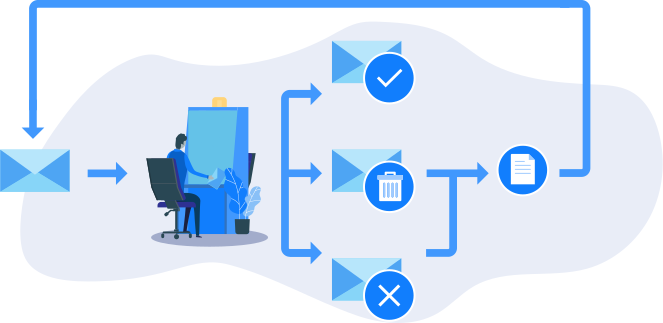
DMARC (Domain-based Message Authentication, Reporting & Conformance) does not introduce a new method for email authentication; instead, it leverages the two existing and well-established email authentication standards, SPF (Sender Policy Framework) and DKIM (DomainKeys Identified Mail). Simply put, DMARC serves as a mechanism to inform all receiving parties that any email messages appearing to come from your organization must be verified using at least one of these two standards (SPF or DKIM). This approach simplifies the implementation of DMARC and helps prevent disruptions in the flow of email traffic. Additionally, the DMARC standard includes a built-in verification system. You can set up a mailbox to receive daily reports from all receiving entities about emails that appear to originate from your organization. These reports provide detailed information on the source of each email and the status of its SPF and DKIM authentication. By analyzing these reports, you can identify which systems are sending emails on behalf of your organization and ensure that SPF and DKIM are correctly configured for each source. Implementing DMARC alongside SPF and DKIM not only strengthens your email security but also provides valuable insights into your email ecosystem, helping you maintain the integrity and reliability of your business communications.
How to start with DMARC analyses?
Step 1: Assess Your Domain Security
Start by evaluating whether your domain is properly protected using our spoof test tool. This tool allows you to check your domain’s DMARC status and even experience email spoofing firsthand, helping you understand potential vulnerabilities.
Step 2: Monitor Your Email Traffic
Before enforcing a strict DMARC policy, it’s essential to monitor your email traffic. This phase helps you:
- Identify all legitimate email sources sending emails on your behalf.
- Ensure each source correctly implements SPF and DKIM authentication.
- Gain insights into unauthorized email activity targeting your domain.
DMARC monitoring offers a comprehensive view of your email ecosystem without disrupting email delivery.
Step 3: Enforce a Strong DMARC Policy
Once SPF and DKIM are correctly configured for all verified email sources, your organization is ready to enforce a strict DMARC policy. By setting your policy to “reject” or “quarantine,” you can effectively block unauthorized senders and stop domain abuse by hackers.
Taking these steps ensures your emails are trusted, your domain is protected, and your business communications remain secure. Start your DMARC journey today!

DMARC monitoring is not a security measure, but rather a tracking system
Our research reveals that many organizations enable DMARC monitoring but never take the crucial next step towards full DMARC compliance. Unfortunately, relying solely on monitoring does not significantly enhance your organization’s email security. Here are three key reasons why:
Firstly, the frequency of attacks on medium-sized or larger organizations is so high that these organizations become desensitized to them. Most organizations we have observed face weekly attacks, and some well-known entities are targeted multiple times a day. Secondly, if not all of your organization’s email sources are DKIM and SPF compatible, it becomes extremely challenging to distinguish between legitimate email traffic and malicious attacks. Lastly, the inherent 24-hour delay in DMARC reporting means your organization only becomes aware of attacks after they have already occurred. To truly secure your email infrastructure and protect your reputation, it is essential to move beyond mere monitoring and achieve full DMARC compliance. Trust our solution to guide you through this process, ensuring comprehensive email security and resilience against evolving threats.

Why Relying Solely on an Anti-Spam Filter/Secure Email Gateway (SEG) Is Inadequate?
There is a common misconception that a robust Secure Email Gateway (SEG) can replace the implementation of DMARC. In reality, Secure Email Gateways and DMARC are complementary solutions that work together to enhance your email security.
While anti-spam solutions typically focus on incoming emails—though some advanced systems also monitor outgoing emails from your organization—a hacker sending an email on your behalf to your clients may bypass your organization’s anti-spam filters. Additionally, even your clients’ anti-spam systems may fail to detect a well-crafted spoof email, as sophisticated spoofing attempts are technically indistinguishable from legitimate business communications, such as calendar invitations or emails from your CRM tool, without DMARC in place. Implementing DMARC ensures that only authorized email sources can send messages on behalf of your domain, effectively preventing spoofed emails from reaching your clients and safeguarding your organization’s reputation. Trust our solution to integrate DMARC with your Secure Email Gateway, providing a comprehensive defense against email-based threats and ensuring the integrity of your business communications.

DMARC AI: Your Solution for Total DMARC Conformity
Comprehensive Email Security Solutions
DMARC AI provides a range of solutions designed to help organizations achieve full DMARC compliance based on their specific needs. Whether you require hands-on management, AI-powered insights, or basic monitoring, we have the right plan for you.
Full-Service Email Security: Expert-Managed Protection
Our Full-Service Email Security plan eliminates the complexity of DMARC analysis by entrusting the process to our cybersecurity experts. We:
- Continuously monitor your email traffic for potential threats.
- Identify and secure all legitimate email sources.
- Work closely with your IT team or partners to ensure smooth DMARC compliance without business disruptions.
With this fully managed solution, your organization can achieve robust email security with minimal effort.
AI-Driven Advanced Monitoring: Smarter Insights, Better Control
For organizations seeking greater oversight, our AI-Driven Advanced Monitoring plan provides:
- An intuitive dashboard that simplifies DMARC analysis.
- AI-powered filtering to eliminate unnecessary noise.
- Actionable insights for security officers and administrators.
This solution ensures that only critical issues demand attention, making email security efficient and effective.
Basic Monitoring: Free and User-Driven
Our Basic Monitoring subscription, available for free, allows security experts to:
- Collect and visualize DMARC monitoring data in an easy-to-understand format.
- Manually analyze email authentication reports and take necessary actions.
While it provides essential visibility, users are responsible for interpreting and acting on the data.
Find the Right DMARC Solution for Your Organization
Whether you need fully managed security, AI-driven insights, or basic monitoring, DMARC AI has the right solution to enhance your email security and ensure robust DMARC compliance.